
Start
Free, Shared and Dedicated
What changes between the three tiers: limits, backups, support, your own MongoDB, and the paths of system collections that scripts must know about.
A service runs on one of three tiers. All three have the same features. What changes is how much the service can hold, who else shares the machine, and whether the MongoDB is ours or yours. You can move up at any time from the service’s Settings.
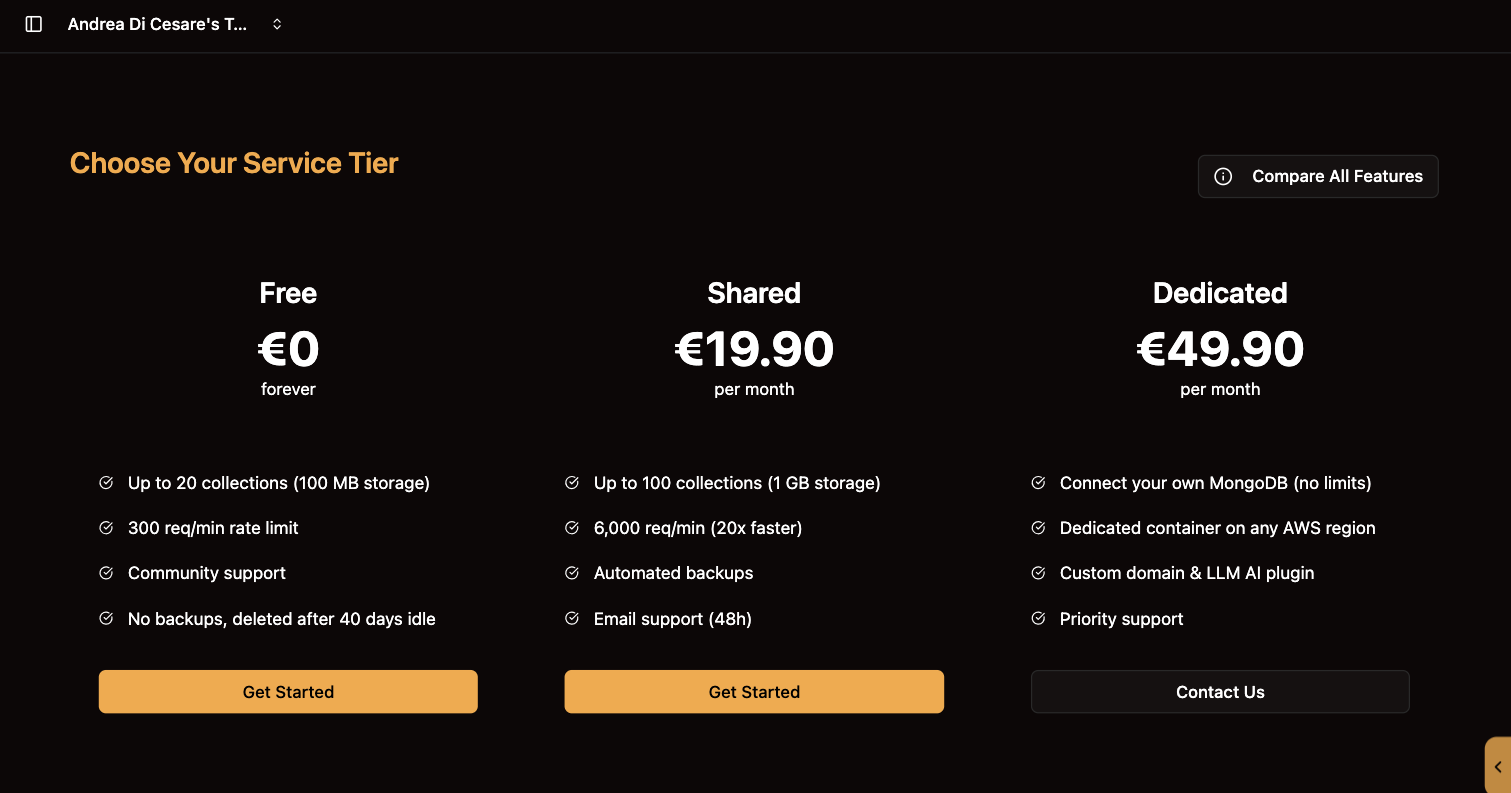
At a glance
| Free | Shared | Dedicated | |
|---|---|---|---|
Price |
€0 |
€19.90 a month |
From €49.90 a month |
Collections and storage |
20 collections, 100 MB |
100 collections, 1 GB |
No limit |
Requests |
300 a minute |
6,000 a minute |
No limit |
Infrastructure |
Shared |
Shared |
A container of your own, in the AWS region you choose |
MongoDB |
Included, managed by us |
Included, managed by us |
Yours: Atlas or any MongoDB 6 or later. Required before the service can start. |
Backups |
None. A service idle for 40 days is deleted. |
Automated |
Your MongoDB’s |
Databases |
One |
One |
As many as you like, with a selector in the console |
Custom domain |
No |
No |
Yes |
Plugins |
The ones in the console |
The ones in the console |
Also plugins you write, and the Sophia AI plugin |
Support |
Community |
Email, within 48 hours |
Priority, with an SLA |
The full comparison and current prices are on the pricing page.
Your own MongoDB on Dedicated
A Dedicated service does not come with a database. You give it the connection string of a MongoDB you run or rent, for example a MongoDB Atlas cluster on AWS, GCP or Azure, when you create the service. RESTHeart Cloud connects to it and never stores your data anywhere else. See Connecting your MongoDB for the steps and the network settings.
Paths that change on Dedicated
The console shows the same menu on every tier. Scripts and app code that call the service directly must use the right path:
| Collection | Free and Shared | Dedicated |
|---|---|---|
Users |
|
|
Permissions |
|
|
GraphQL apps |
|
|
Schemas |
|
|
Aggregations and change streams |
In the collection’s metadata, |
The same, in the selected database: |
On Dedicated, every console page that works on collections shows a database selector at the top. The choice lasts for the session.
Moving up
Change the tier from the service’s Settings. The address stays the same and the data comes along. After a move to Dedicated, update any script that uses the paths above.