
Start
The root user
Every service has a root user that can do everything: where to set its password, when to use the Admin JWT instead, and why your app never signs in as root.
Every service is created with a user called root, which can do everything: read and write any collection, change users, permissions and settings. You do not create it. You give it a password.
Set the password
Open the service, go to Connect and, under Basic Auth, click Reset password. Choose at least eight characters and save.
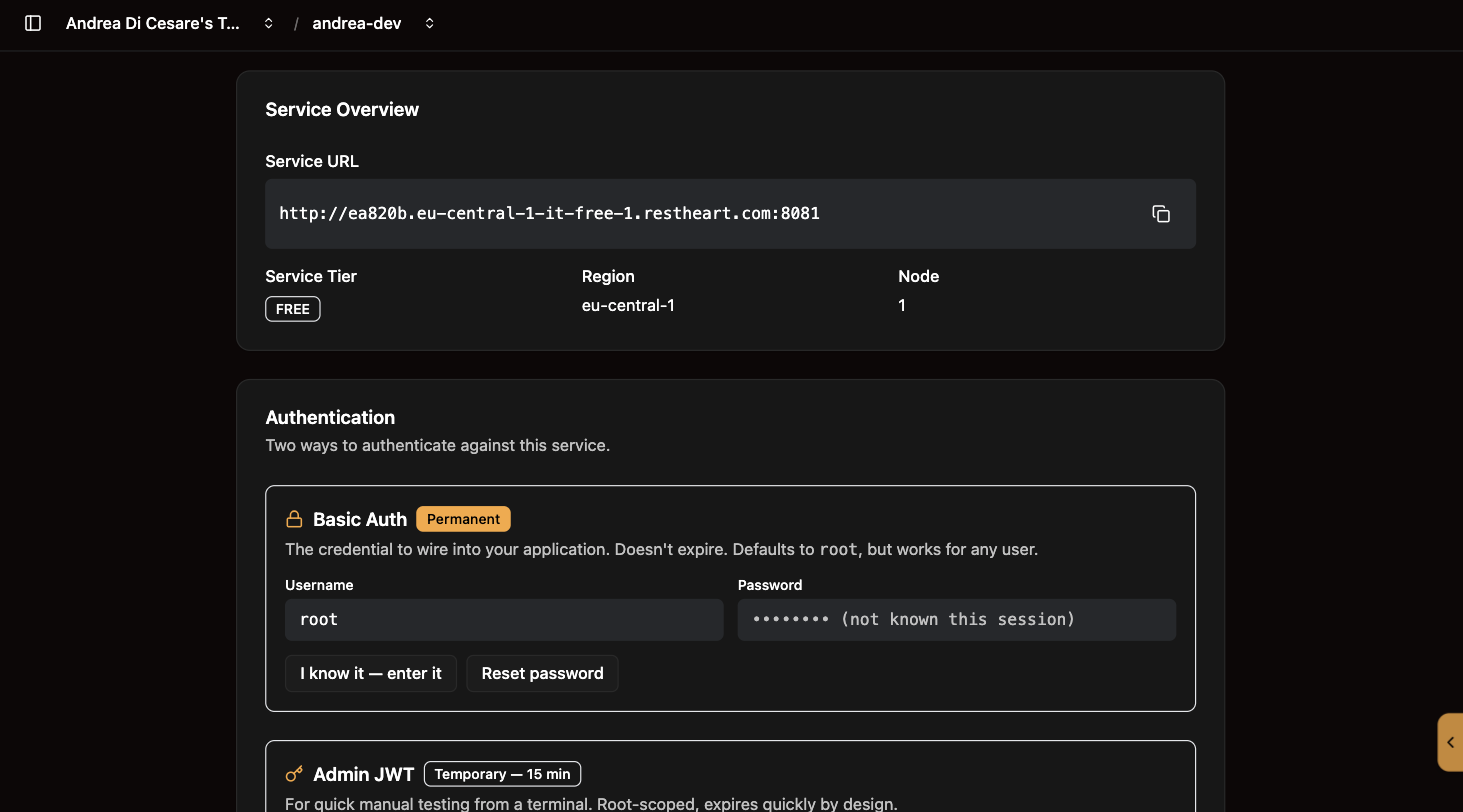
The password is not kept by the console, so it cannot be shown to you later. If you know it and want the console to use it for this session, click I know it, enter it: it stays in the browser tab and is never sent to the server.
Resetting the password changes it on the server. Anything that was using the old one stops working until you update it.
The Admin JWT
Next to Basic Auth is the Admin JWT: a token with the powers of root that lasts fifteen minutes. It is for a quick test from a terminal, when you do not want to type the password:
curl -i https://f3a9c1.eu-central-1-free-1.restheart.com/todos \
  -H "Authorization: Bearer <admin-jwt>"
When it expires, click Refresh for a new one. See Tokens for what this token is and is not.
What root is for
Setting the service up: creating collections, users and permissions from a terminal or with rhc, and checking things by hand.
What it is not for: your app. An application signs in as one of the service’s own users, each with the roles and permissions you grant. A user created through sign-up or on the Users page, plus a permission on the Permissions page, is all it takes. The console’s API Tutorial does exactly this in its last two steps.
How root gets its powers
Nothing magic. root holds the root role, and the service is created with one permission, rootCanDoEverything, that grants that role everything:
{
  "_id": "rootCanDoEverything",
  "roles": ["root"],
  "predicate": "path-prefix('/')",
  "priority": 0,
  "mongo": { "allowManagementRequests": true, "allowWriteMode": true }
}
You can see it on the Permissions page. Leave it there: without it, nobody can administer the service.