
Your data
Collections and documents
Browse, create, edit and delete your app's data from the console, and the same operations over the API: filter, sort, page, and partial updates.
Your app’s data lives in collections of JSON documents. The console shows them under Collections: the list of collections first, then the documents of the one you open. Everything you do here is one API call, shown next to each action, so your app can do the same.
Collections
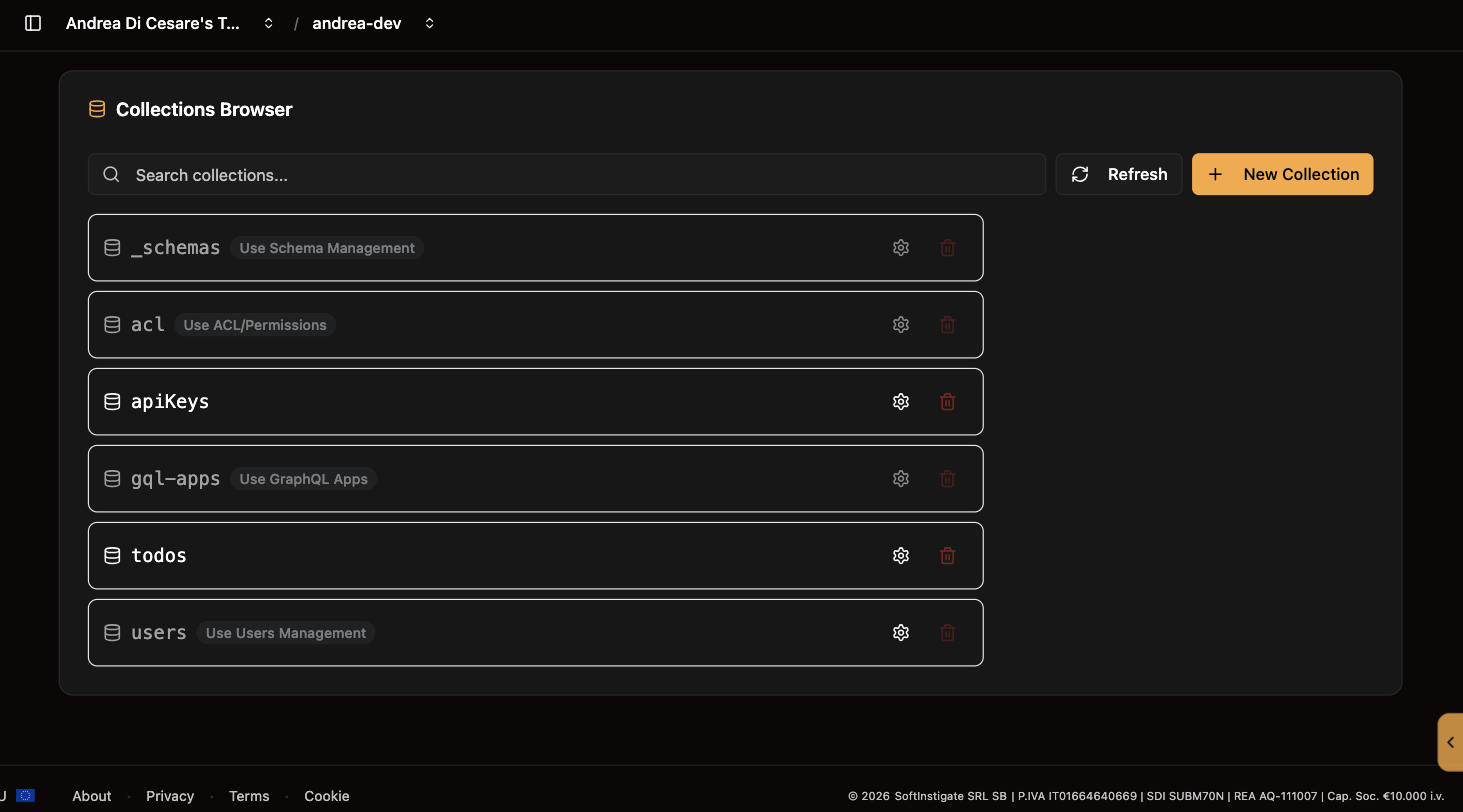
The list shows every collection of the service. On Dedicated, a database selector at the top picks the database. The system collections (users, acl, _schemas, gql-apps) are listed but managed from their own pages.
Create one with New Collection: a name, and optionally a JSON Schema that every document must match. A collection whose name ends in .files is a file bucket, and the console treats its rows as files with a download link.
The gear opens the collection’s metadata: the schema bound to it, and the aggrs and streams arrays that the Aggregations and Change streams pages manage. You can bind a schema from here.
The bin deletes the collection and every document in it, after a confirmation.
| Operation | API |
|---|---|
List collections |
|
Create collection |
|
Read metadata |
|
Bind a schema |
|
Delete collection |
|
Documents
Open a collection to see its documents.
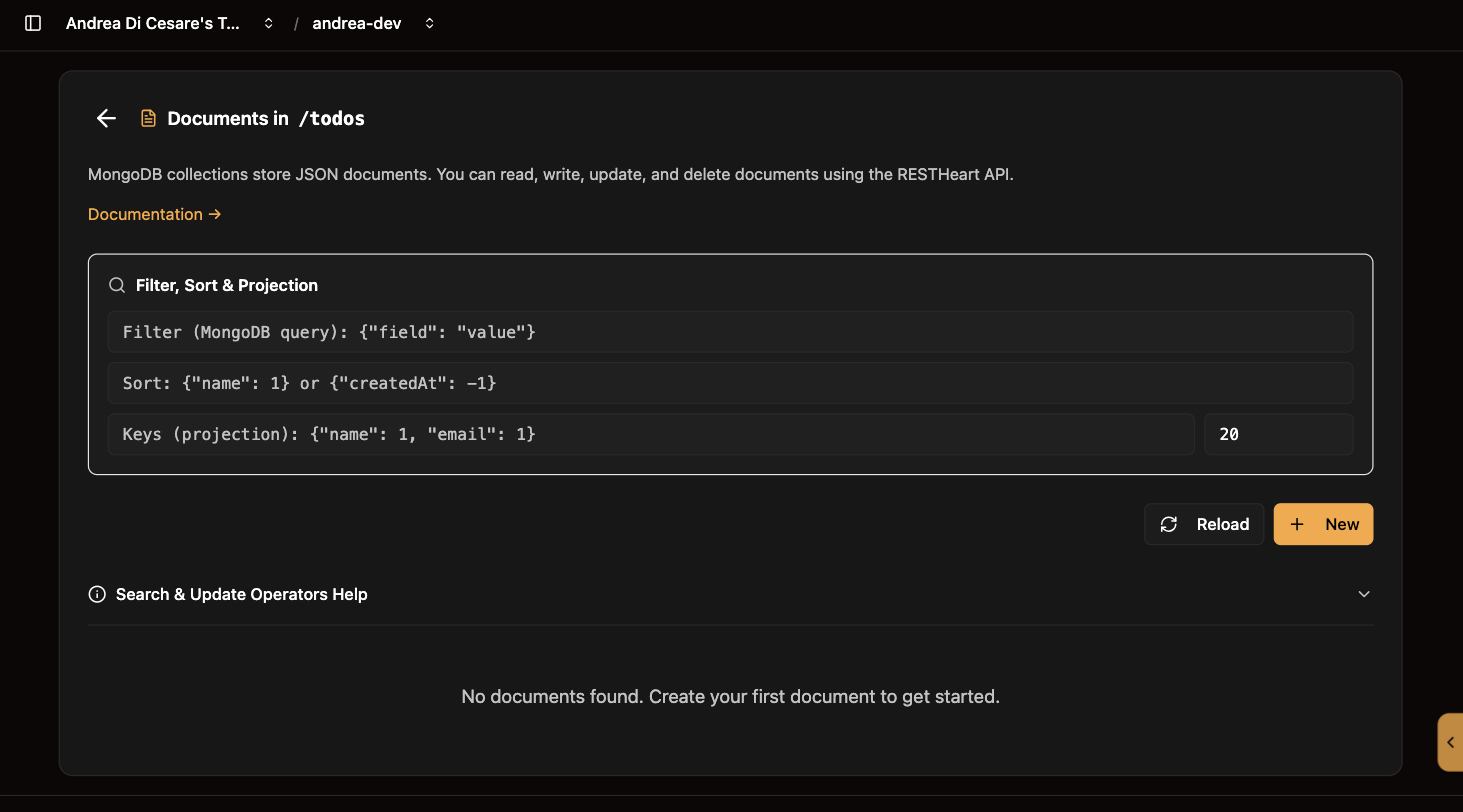
Find what you want with the three fields at the top. They are the filter, sort and keys parameters of the API, and the list refreshes as you type:
| Field | What to type |
|---|---|
Filter |
A MongoDB query, such as |
Sort |
|
Keys |
A projection, |
New opens a JSON editor for a document. Leave _id out and MongoDB assigns one.
Edit on a row opens the document in place. Saving sends a PATCH with the fields you changed: fields you did not touch are kept.
Delete on a row removes the document, after a confirmation.
The console handles every kind of _id: an ObjectId, a string, a number or a date. In a filter, an ObjectId is written {"_id": {"$oid": "…"}} and a date {"$date": "…"}.
| Operation | API |
|---|---|
Read, filter, sort, page |
|
Create |
|
Update some fields |
|
Replace |
|
Delete |
|
Download a file |
|
From your app these are plain HTTPS calls with the user’s credentials. What each user may read and write is decided by permissions, and a readFilter there can limit a user to their own documents without the app knowing. The full query language, with paging, projections and aggregation-style operators, is in the REST API reference.
Related pages
-
Schemas: refuse a document that does not match.
-
Indexes: keep filters and sorts fast as the collection grows.
-
Change streams: let the UI know when a document changes.
-
Plans: the database selector and the paths on Dedicated.