
Your users
Users
The people and apps that sign in to your service: create them, give them roles, reset passwords, and choose what a login token says about them.
A user is anyone who signs in to your service: a person using your app, or a script with its own identity. Each one is a document in the users collection with a name, a password and roles. The roles are what permissions refer to: a user with no matching permission can do nothing.
Users are stored in your service, not in RESTHeart Cloud: they are your app’s users, and your account is a different thing.
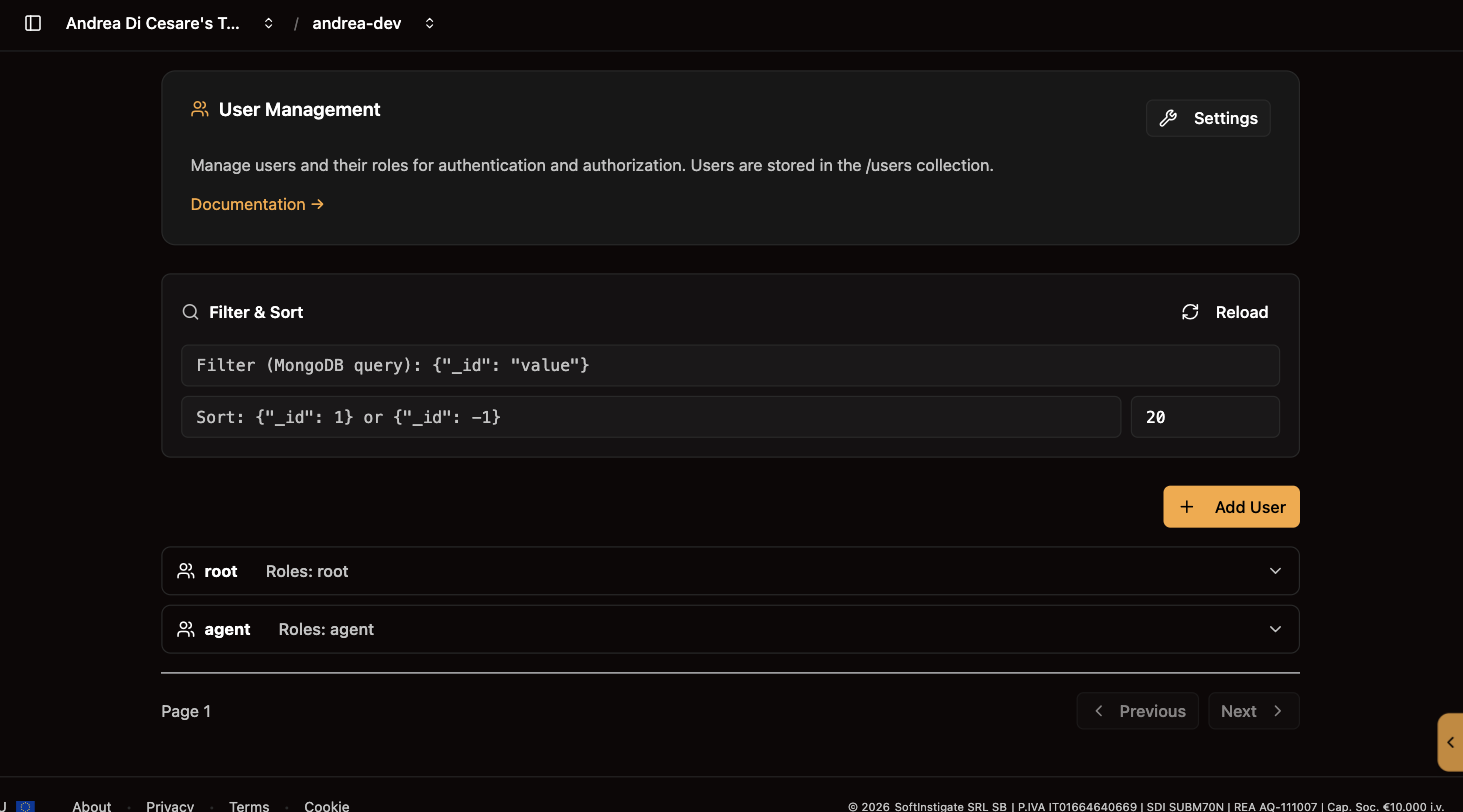
A user document
{ "_id": "alice", "password": "her-password", "roles": ["user", "editor"] }-
_idis the username, the one sent in theAuthorizationheader. It cannot change afterwards. -
passwordis hashed with bcrypt by the service before it is stored. Nobody can read it back, you included. To change it, set a new one. -
rolesis a list of names you choose:user,editor,admin,service-account. The only role with a meaning of its own isroot, granted everything by the permission created with the service.
A user may hold more fields, such as an email, a display name or the terms they accepted. Guards and permissions can read them.
Add, edit, delete
Add User asks for the name, the password and the roles. Edit on a row changes the roles or sets a new password; leave the password blank to keep it. Delete removes the user, after a confirmation, and every session of theirs stops working at once.
Filter the list with a MongoDB query, {"roles": "admin"} or {"_id": {"$regex": "^ali"}}, and sort it with {"_id": 1}.
Most apps do not create users here. They let people register themselves with sign-up management, which adds email verification, password reset and login with Google, and use this page to look them up and fix things.
How a user signs in
Every request carries the user’s credentials, in one of two forms:
-
Basic Auth:
Authorization: Basic base64(alice:her-password)on every request. Simple, and what a script or a mobile app usually does. -
A JWT: the app sends the credentials once, gets a token back, and sends
Authorization: Bearer <token>from then on. This is what the Kit does for a web app, with a session that survives a reload.
An agent or a script that must stay connected for months uses an API key instead, issued by the user and revocable on its own.
What the token says
The JWT a user gets carries their name and roles, and any other fields of the user document you choose to expose as claims. Click Settings on the Users page, type a field name and press Enter; nested fields use /, as in profile/displayName. Save, and tokens issued from then on carry it.
Expose a field when something needs it without a lookup: your frontend, to show a name; a permission or a guard, to decide. Not the password, which is refused whatever you list, and not anything you would not hand to the client, since a JWT is readable by whoever holds it. A few claims are always there, added by RESTHeart Cloud, such as the node that issued the token.
From a script
| Operation | API |
|---|---|
List |
|
Create |
|
Update |
|
Delete |
|
On Dedicated the path is /restheart/users. When sign-up management is on, a user cannot change their own roles, teams or verification status through this API, whatever their permission says; see the self-service restriction. With rhc, the users a service needs at setup are part of the setup file.
Related pages
-
Permissions: what each role may do.
-
Sign-up management: let people register themselves.
-
API keys: a long-lived credential a user issues for an agent or a script.
-
Tokens: your own credentials as the owner, which are not these.