
Your data
Schemas
Refuse a document that does not match: write a JSON Schema once, bind it to a collection, and every write from every client is validated on the server.
A schema says what a document must look like: which fields, of which type, which are required, which values are allowed. Bind one to a collection and every POST, PUT and PATCH is checked on the server before it is stored, whoever sends it. Your app can still validate forms for a better error message; it no longer has to, for the data to stay clean.
Schemas are JSON Schema draft-07, stored in the _schemas collection and managed under Schemas.
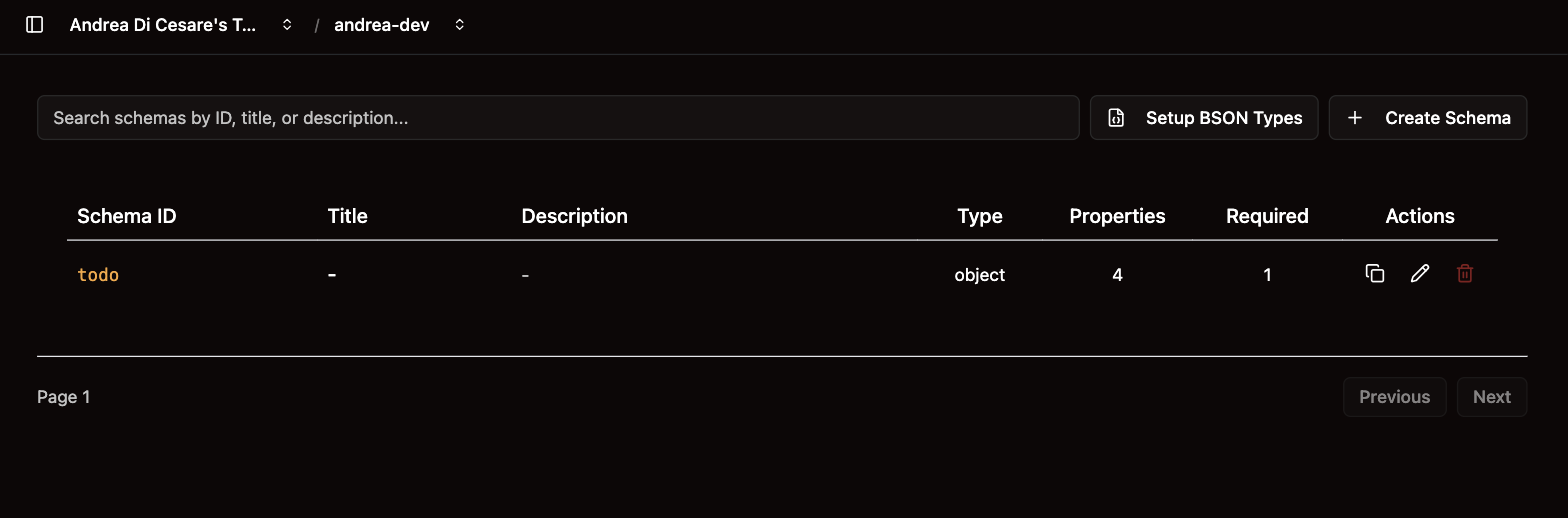
Write a schema
Click Create Schema, choose an _id and paste the schema. This one validates a product:
{
  "_id": "product",
  "title": "Product",
  "description": "A product of the catalog",
  "$schema": "http://json-schema.org/draft-07/schema#",
  "type": "object",
  "properties": {
    "name":     { "type": "string", "minLength": 1 },
    "price":    { "type": "number", "minimum": 0 },
    "category": { "type": "string", "enum": ["electronics", "clothing", "food"] },
    "inStock":  { "type": "boolean" }
  },
  "required": ["name", "price", "category"]
}
The _id is how you will refer to it. title and description show in the list. The rest is JSON Schema; these are the keywords you will use most:
| Keyword | What it does |
|---|---|
|
|
|
The fields, and which of them must be present. |
|
The only values allowed. |
|
Ranges, lengths, and a regular expression for strings. |
|
The schema of each element of an array. |
|
Refuse fields that are not in |
|
A rule that depends on another field. |
Setup BSON Types adds a schema that describes MongoDB’s own types, so yours can say a field is a date with {"$ref": "bson#/date"} rather than a string. Declare a date field as {"_$date": {"type": "number"}} when a permission fills it with @now.
The editor checks the JSON as you type. The full vocabulary is in the JSON Schema draft-07 specification.
Bind it to a collection
A schema does nothing until a collection uses it. On the Collections page, open the collection’s metadata with the gear, choose the schema under JSON Schema Validator, and save. When you create a collection, you can pick the schema there.
One schema can serve several collections. Editing it affects all of them, for writes from then on: documents already stored are not checked again.
What your app sees
A document that does not match is refused with 400 Bad Request and a body that says why:
{
  "http status code": 400,
  "message": "Document validation failed",
  "exception": { "message": "required key [customerId] not found" }
}
Show that message to the user, or map it to your form. A PATCH is validated on the document as it would be after the change, so a partial update cannot leave a document invalid.
From a script
| Operation | API |
|---|---|
List |
|
Create |
|
Update |
|
Delete |
|
Bind to a collection |
|
Deleting a schema does not unbind it: a collection that still references it refuses every write until you bind another or remove the reference. With rhc, schemas and their bindings are part of the setup file.
Related pages
-
Constraints: rules across documents, which a schema cannot express.
-
Indexes: a unique index, for a field that must not repeat.
-
Collections and documents: where the schema is bound.
-
JSON Schema validation reference on restheart.org.