
Your data
Change streams
Your UI updates when the data does: publish the changes of a collection and your app subscribes over WebSocket with the user's credentials. No polling.
A change stream tells your app when a document is inserted, updated or deleted, the moment it happens. You define under Change streams which changes of a collection to publish, and the app opens a WebSocket and receives them as JSON. No polling, no timer.
Like aggregations, streams are defined on the server, so a client can only subscribe to what you approved.
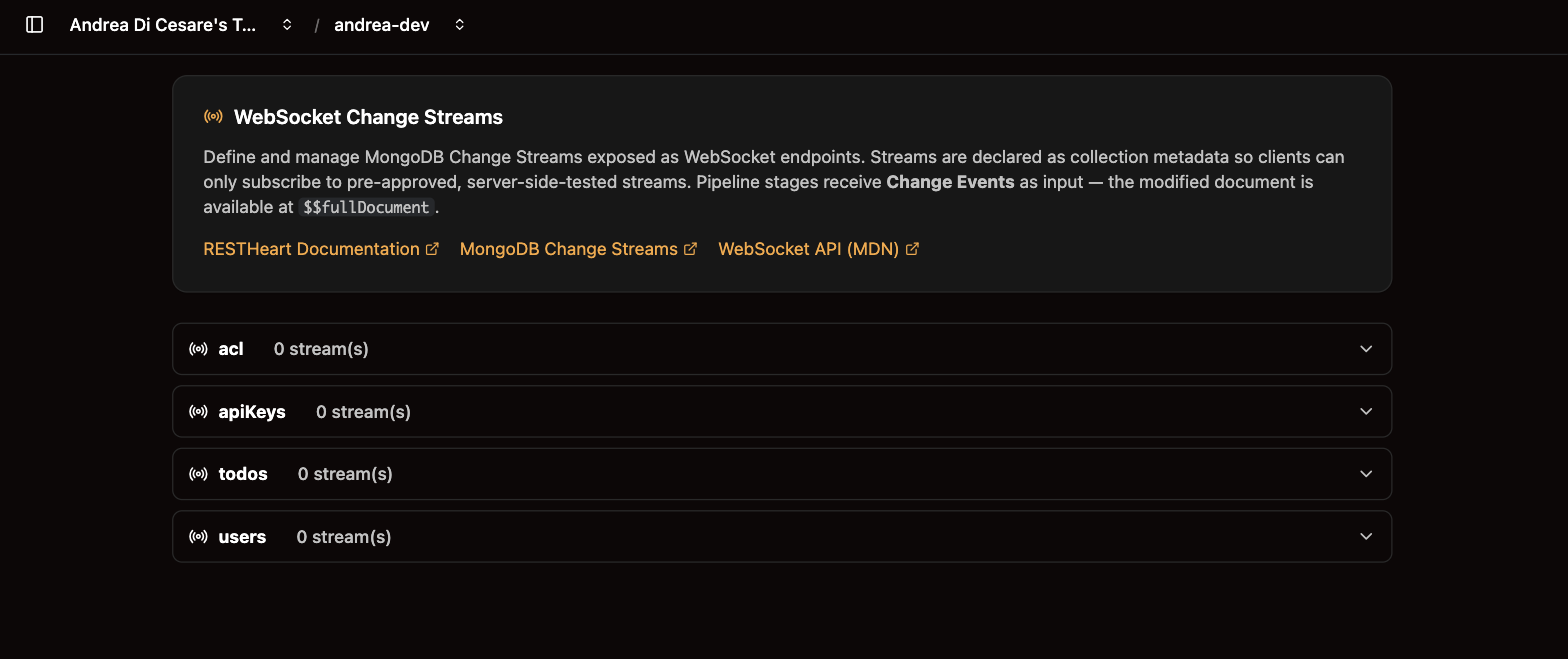
Define a stream
-
Open Change streams, expand the collection and click Add Stream.
-
Give it a
uri, the name the app will subscribe to, and thestagesthat select which events to send. -
Save. The stream is available at once.
{
  "uri": "active-orders",
  "stages": [
    { "$match": { "operationType": { "$in": ["insert", "update"] }, "fullDocument.status": { "$ne": "cancelled" } } }
  ]
}
An empty stages array sends every change. The stages are a pipeline, with the same editor as aggregations, but they run on change events, not on documents. A change event looks like this, and the document is under fullDocument:
{
  "operationType": "update",
  "documentKey": { "_id": { "$oid": "64abc…" } },
  "fullDocument": { "_id": { "$oid": "64abc…" }, "status": "shipped", "customerId": "alice" },
  "updateDescription": { "updatedFields": { "status": "shipped" }, "removedFields": [] }
}
So a filter on a field of the document is {"fullDocument.status": "shipped"}, not {"status": "shipped"}. operationType is insert, update, replace or delete.
The patterns that cover most apps:
| Stream | Stages |
|---|---|
Everything |
|
New documents only |
|
Documents with a given value |
|
Everything but deletes |
|
Try it in the console
Every stream has a Try panel. Enter the username and password of one of the service’s users, click Connect, then change a document from another tab or with curl: the events appear in the log as they happen. Copy URL gives you the address to paste in your code.
Subscribe from your app
const ws = new WebSocket('wss://alice:secret@f3a9c1.eu-central-1-free-1.restheart.com/orders/_streams/active-orders');

ws.onmessage = event => {
  const change = JSON.parse(event.data);
  console.log(change.operationType, change.fullDocument);
};

ws.onclose = event => {
  // 1006 usually means the credentials were refused
  console.log('closed', event.code);
};
A browser cannot set headers on a WebSocket, so the credentials go in the URL and the browser turns them into Basic Auth for the handshake. The user must be one of the service’s users, with a permission that allows GET on the stream’s path. The Admin JWT cannot open a stream.
Or over Server-Sent Events
The same stream is also available over plain HTTPS as Server-Sent Events, for a client that can set headers, such as a mobile app or a server. Ask for it with the Accept header:
curl -N -H 'Accept: text/event-stream' -u alice:secret \
  https://f3a9c1.eu-central-1-free-1.restheart.com/orders/_streams/active-orders
Each event carries the change as data, and an id the client sends back as Last-Event-ID on reconnect to resume where it left off. WebSocket and SSE clients can share one stream. See SSE on restheart.org.
From a script
Streams live in the collection’s metadata, in the streams array, next to aggrs:
| Operation | API |
|---|---|
Read the definitions |
|
Save them |
|
Subscribe |
|
With rhc, they are part of the setup file. The full reference is on restheart.org.
Related pages
-
Aggregations: the same editor, for pipelines that compute instead of watch.
-
MCP server: a stream you publish is available to an AI agent too.
-
Users and Permissions: who may subscribe.