
Start
The console
A tour of the console: organizations, services, and the sections of a service from data to users, integrations and AI. What each one does and where to find it.
Everything about your backend is set from the console at https://cloud.restheart.com. Nothing here needs code, and what you save is live at once.
Organizations and services
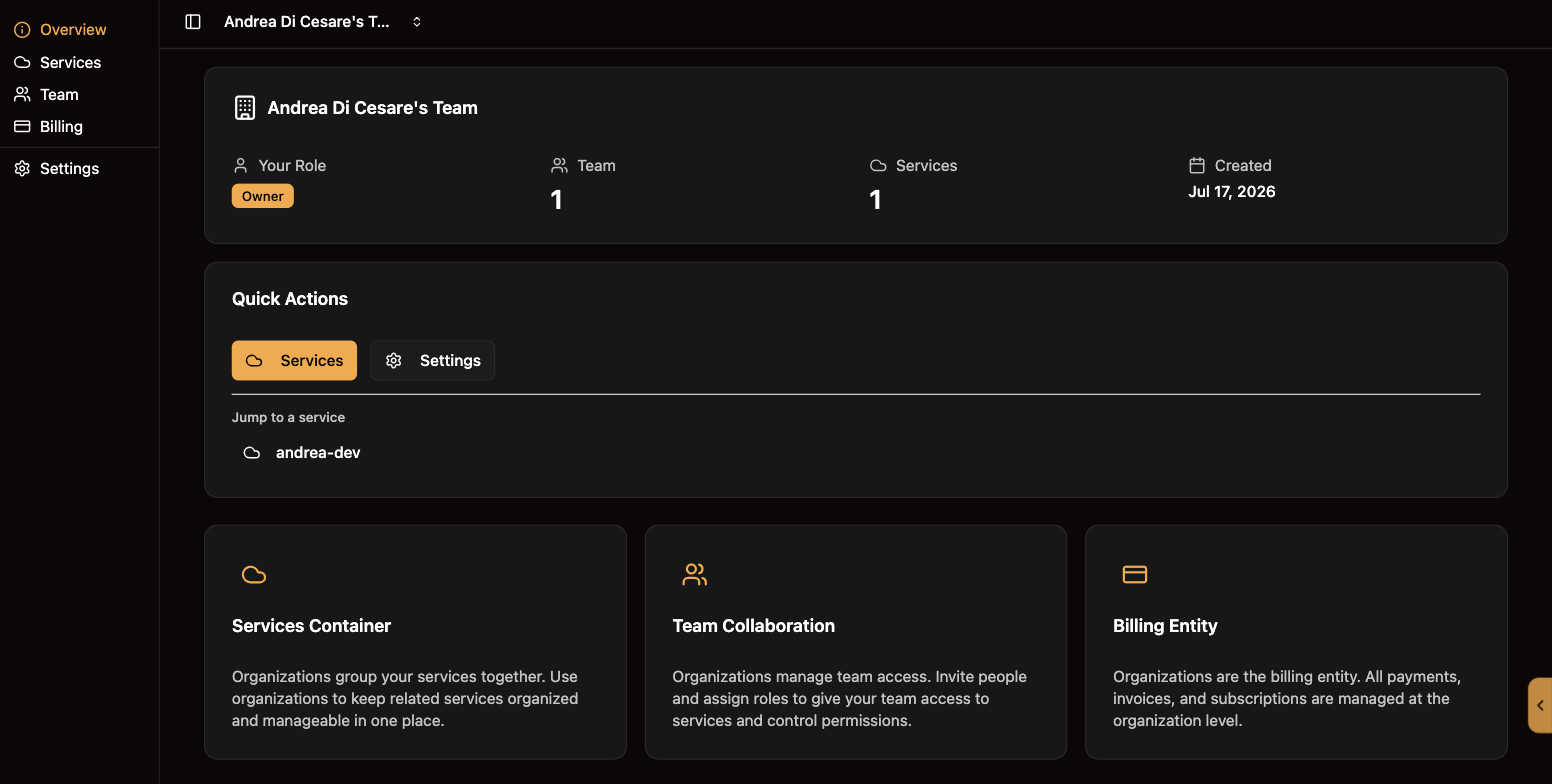
An organization groups services, people and billing. You get one when you sign up, and a team can share it.
-
Overview: your role, the team, the services, and a jump to each of them.
-
Services: the list, and Create Service.
-
Team: invite people and give each a role.
-
Billing: subscriptions, invoices and payment methods. Billing is per organization, not per service.
-
Settings: the organization’s name and options.
A service is one backend: one address, with its own users, data and settings. Open one and the sidebar changes to the sections below.
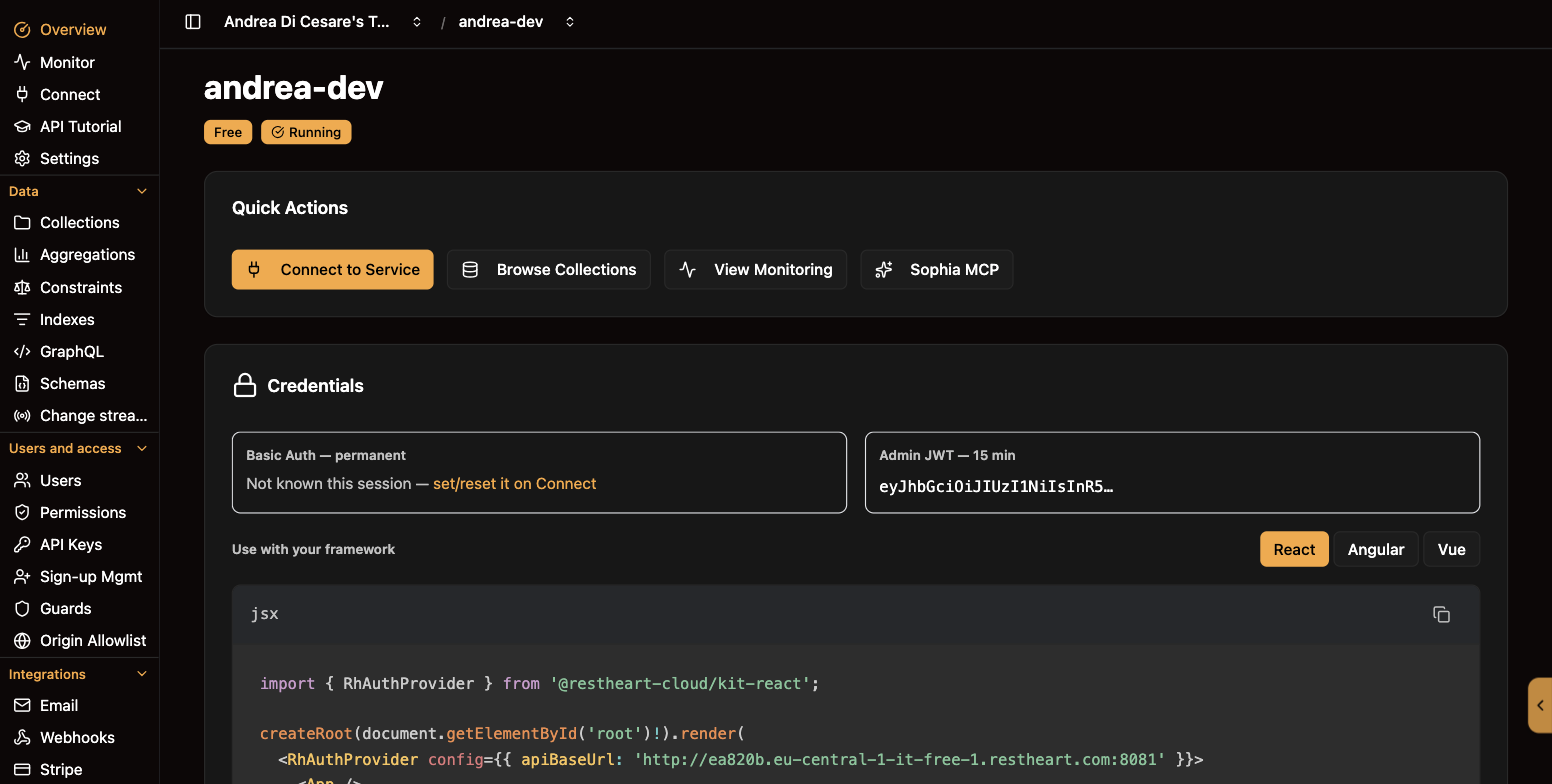
The sections of a service
| Section | What it is for |
|---|---|
Overview |
Status, the two credentials, the Kit snippet for your framework, and shortcuts. |
Monitor |
Requests, response times and errors over time. |
Connect |
The address and the credentials: the root password and the Admin JWT. See The root user. |
API Tutorial |
Six requests run against your own service, one click each: from the first |
Settings |
Name, tier, and the service’s lifecycle. |
Data |
|
Collections |
Browse, create, edit and delete collections and documents. Collections and documents |
Aggregations |
Pipelines defined once, server-side, and called by name. Aggregations |
Constraints |
Rules over the whole collection that a write cannot break. Constraints |
Indexes |
Keep queries fast as the collection grows. Indexes |
GraphQL |
A schema and a mapping, and your collections answer GraphQL. GraphQL applications |
Schemas |
JSON Schema validation on every write. Schemas |
Change streams |
Live updates to your UI over WebSocket. Change streams |
Users and access |
|
Users |
The people and apps that sign in to your service. Users |
Permissions |
Who may do what, by role. Permissions |
API Keys |
Long-lived credentials a user issues for an agent or a script. API keys |
Sign-up Mgmt |
Registration, verification, password reset, login with Google, invitations. Sign-up management |
Guards |
Your own rules, such as unaccepted terms or a lapsed plan, applied before a request reaches the data. Guards |
Origin Allowlist |
Only your sites may call the API from a browser. Origin allowlist |
Integrations |
|
Quotas, and sending from your own address. Email |
|
Webhooks |
Call an endpoint or send mail when something happens. Webhooks |
Stripe |
Subscriptions and purchases from your app. Stripe billing |
AI |
|
Sophia AI |
Your documents answering questions in conversation, on a Dedicated service. Sophia |
MCP Server |
Let an agent use your data, under your permissions. MCP server |
What changes with the tier
On Free and Shared a service has one database and the console works in it directly. On Dedicated a service can have several, and a database selector appears on every page that works on collections. System collections also move: /users becomes /restheart/users, /acl becomes /restheart/acl. The console follows the right path for you; your own scripts must. See what differs between plans.
How the console talks to your service
Every call the console makes to your service carries a short-lived Admin JWT, issued by RESTHeart Cloud and renewed for you. It is separate from your users' credentials. You can take one yourself from the Connect page for a test from a terminal; for automation use a personal access token and rhc instead. A WebSocket change stream cannot be opened with it: that takes one of the service’s users.
Conventions
-
Deleting anything asks for confirmation first. There are no silent deletes.
-
Every list has a search box and pages.
-
Every JSON field has a Format button that pretty-prints it and points at a mistake before you can save.
-
An error from your service shows as a notification with the most specific message the service gave.