
Sophia is an AI-powered knowledge base assistant built on top of RESTHeart Cloud. It turns static documentation — PDFs, Markdown files, HTML pages — into a conversational agent that answers questions accurately, citing the source documents it draws from. Under the hood it uses RAG (Retrieval-Augmented Generation) combined with large language models (Claude by Anthropic, Amazon Bedrock) to find and synthesize relevant content from your knowledge base.
April focused on depth rather than breadth. The team concentrated on making the agent smarter about search decisions, reducing operational costs, and improving resilience when infrastructure encounters issues.
Where to Try Sophia
SoftInstigate operates two public instances:
- RESTHeart documentation at bysophia.ai/contexts/restheart
- RESTHeart Cloud docs at bysophia.ai/contexts/cloud
Both instances are also accessible as MCP servers from Claude Code, Claude Desktop, and any other MCP-compatible AI client.
Smarter, Cheaper Retrieval with the Search Preamble
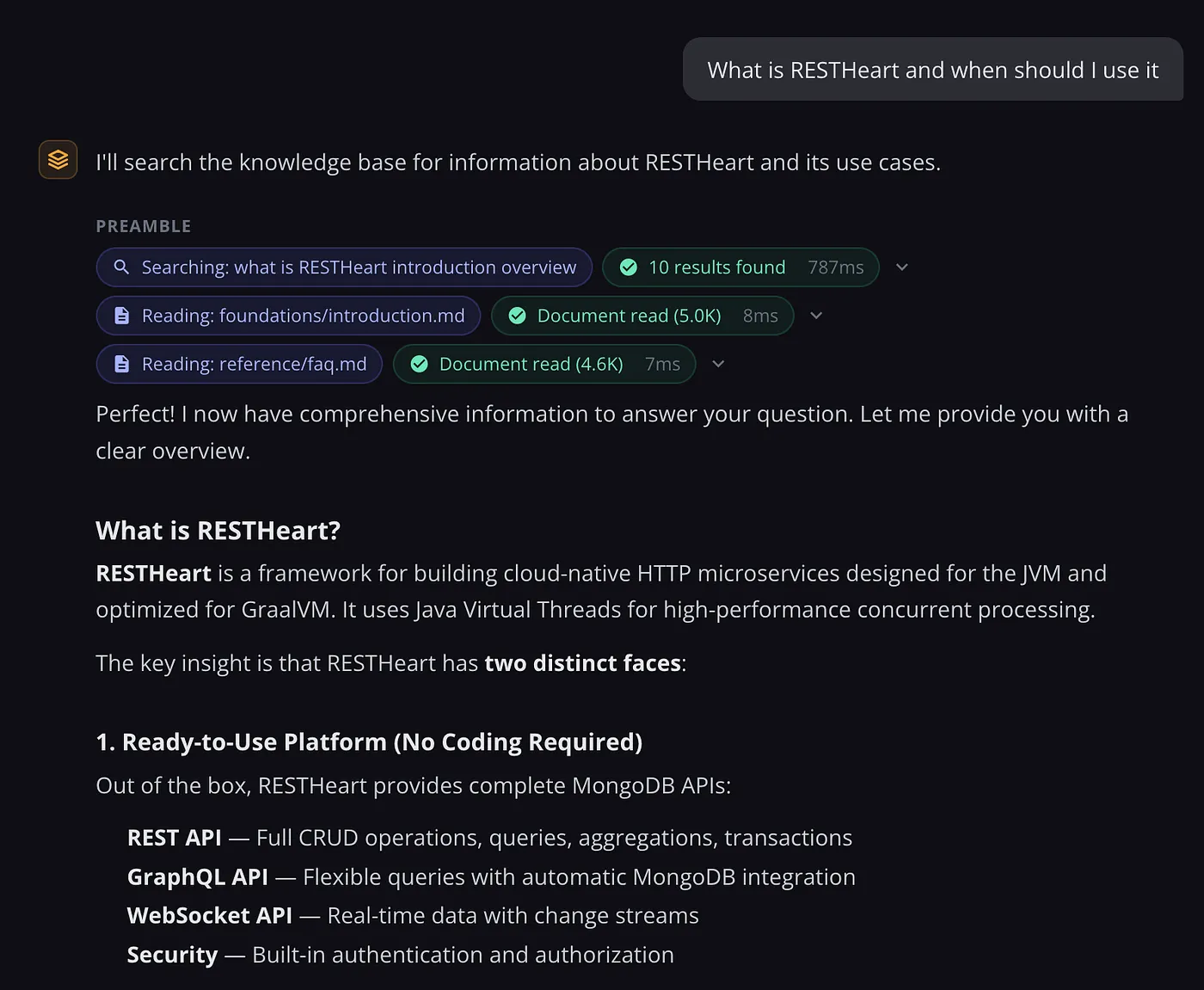
The most impactful change this month is a search-and-fetch preamble that pre-executes searches before the agentic loop begins, reducing input tokens by approximately 76% on typical queries.
The mechanism includes a lightweight planning call that determines whether a knowledge base search is necessary. The model evaluates the full conversation and decides if retrieval makes sense or if the answer already exists in context. When retrieval is needed, the preamble fetches the relevant documents before the main loop starts — so the agent reasons from prepared context rather than searching mid-response.
Agent-Managed Memory as an Alternative to History
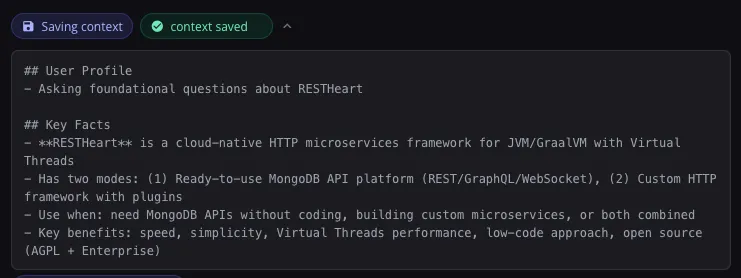
Rather than injecting entire conversation histories into each prompt, the agent now manages its own memory through dedicated tools. It can save, append to, or patch context documents stored in MongoDB.
This approach scales much better for extended conversations: a 20-turn discussion doesn't get progressively more expensive because context size reflects what the agent deems important, not the accumulated transcript length.
Prompt Caching
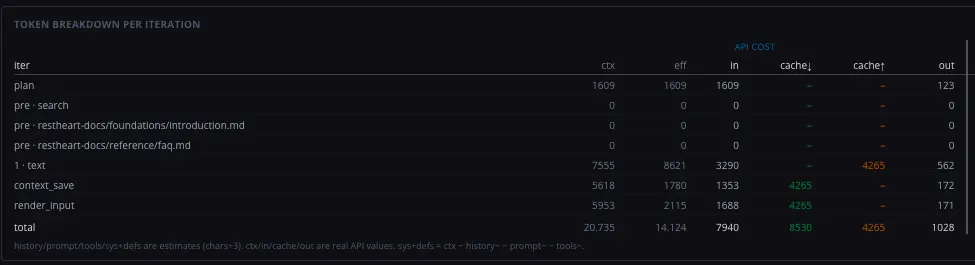
The system now caches the system prompt, tool definitions, and history prefix as a contiguous block. Cached content costs roughly one-tenth of normal pricing on subsequent iterations within the same session.
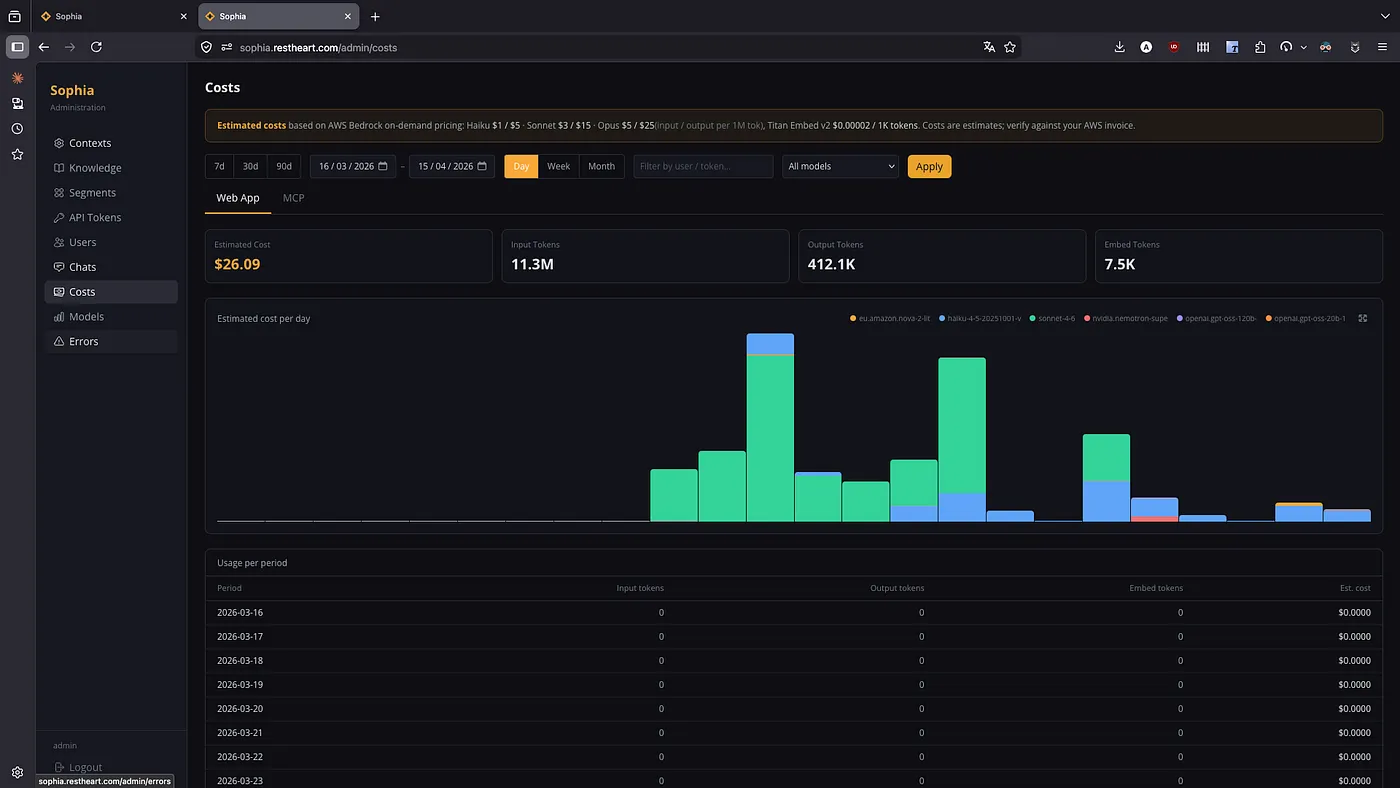
The admin panel displays per-iteration token tracking — input, output, cache reads, and cache writes — for each interaction, giving administrators full visibility into what's being cached and at what cost.
Automatic Failover When Bedrock Has Problems
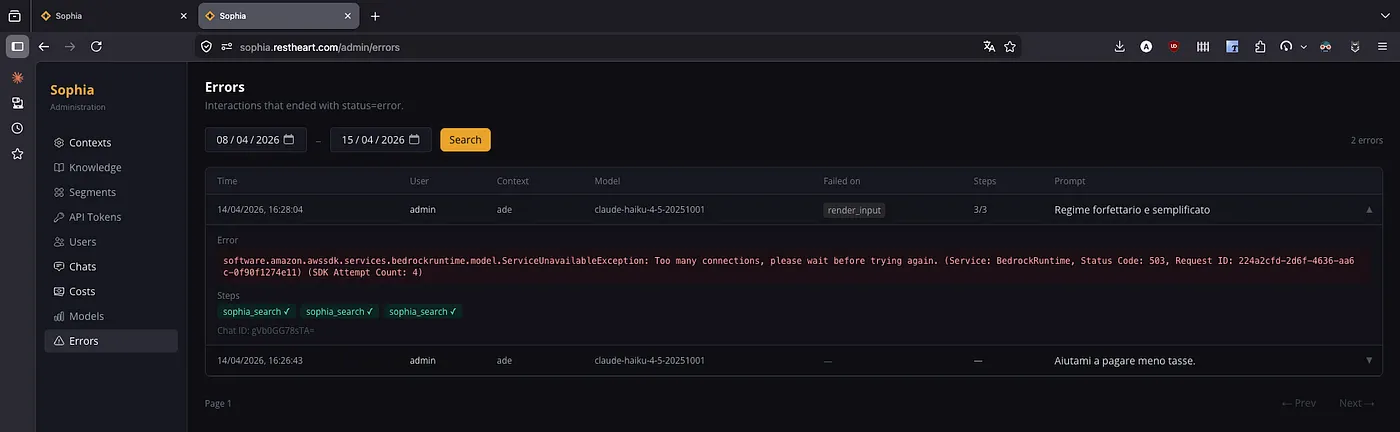
AWS Bedrock transient errors (503 and 500 responses) now trigger automatic retries with fallback models. The fallback is per-request only, with no persistent state change or circuit breaker — normal behavior resumes as soon as Bedrock recovers.
Enhanced Admin Panel
Three new sections in the administration panel:
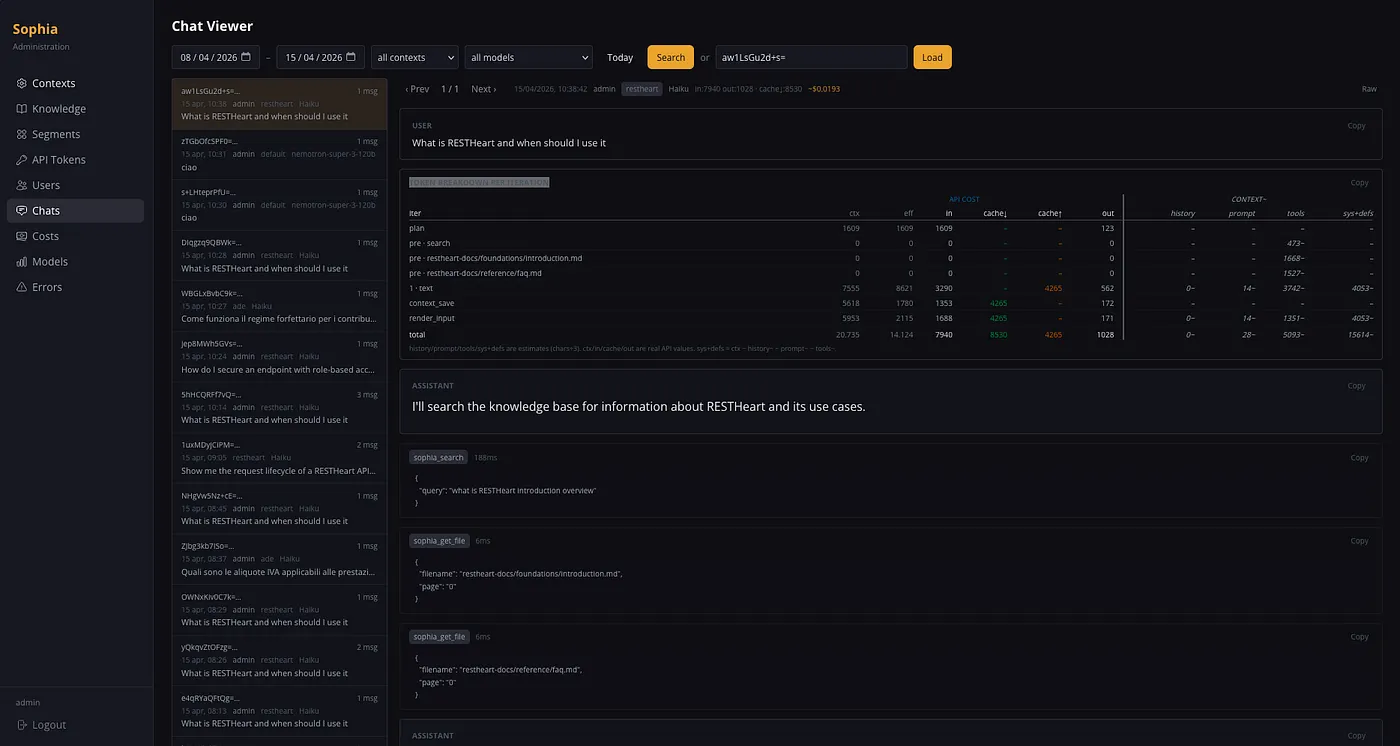
- Chat sessions viewer — searchable, filterable interaction table with cost breakdowns and token economics per session and per interaction
- Error list — surfaces all failed interactions with error messages and full context, making it straightforward to diagnose model or retrieval failures
- Models admin page — lists configured Bedrock models with pricing, throughput limits, quotas, and tool-use capability scores
Artifact Share Links
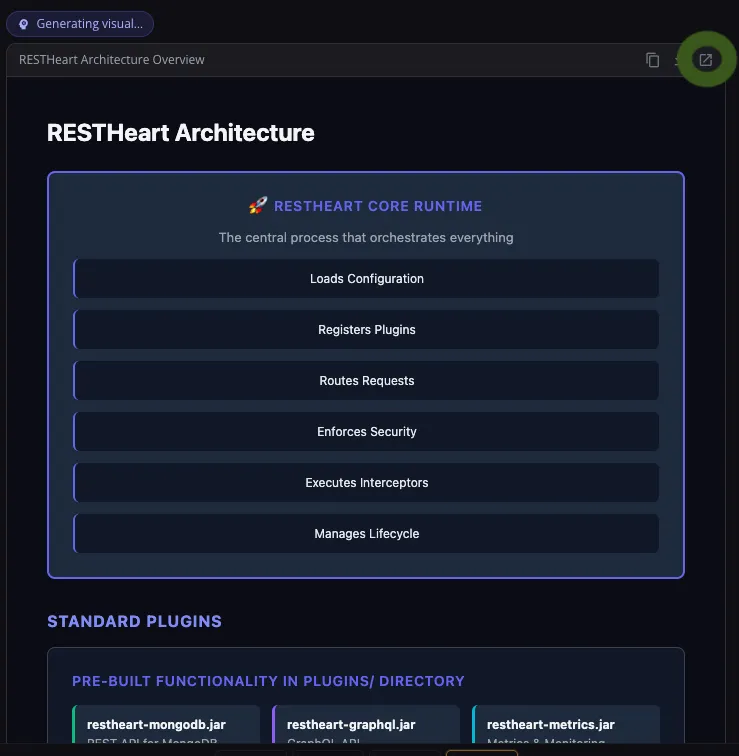
render_output artifacts can now be shared via read-only links without requiring recipients to authenticate. Access control is still enforced at the database level — unauthenticated sharing only works for artifacts in public contexts.
Streaming Reliability
A watchdog now detects stalled connections and triggers automatic recovery. The streaming timeout was also extended to 30 seconds to accommodate longer, more complex responses without false timeouts.
Ready to Build Something Great?
Focus on what makes your app unique. Your backend is ready in minutes. Start with our free tier - no credit card required.